Verify an ADEK Document
ADEK on TAMM
Anyone holding an ADEK certificate, and anyone asked to trust one, can check it is genuine in seconds: upload the file, or type two numbers. No login.
- Role
- Product designer, service design
- Organisation
- ADEK on TAMM, Abu Dhabi Government
- Timeline
- 2026
- Service
- ADEK/0061 Proof the Authenticity of an Attested Document
- Users
- Students, staff, employers and other verifiers
Overview
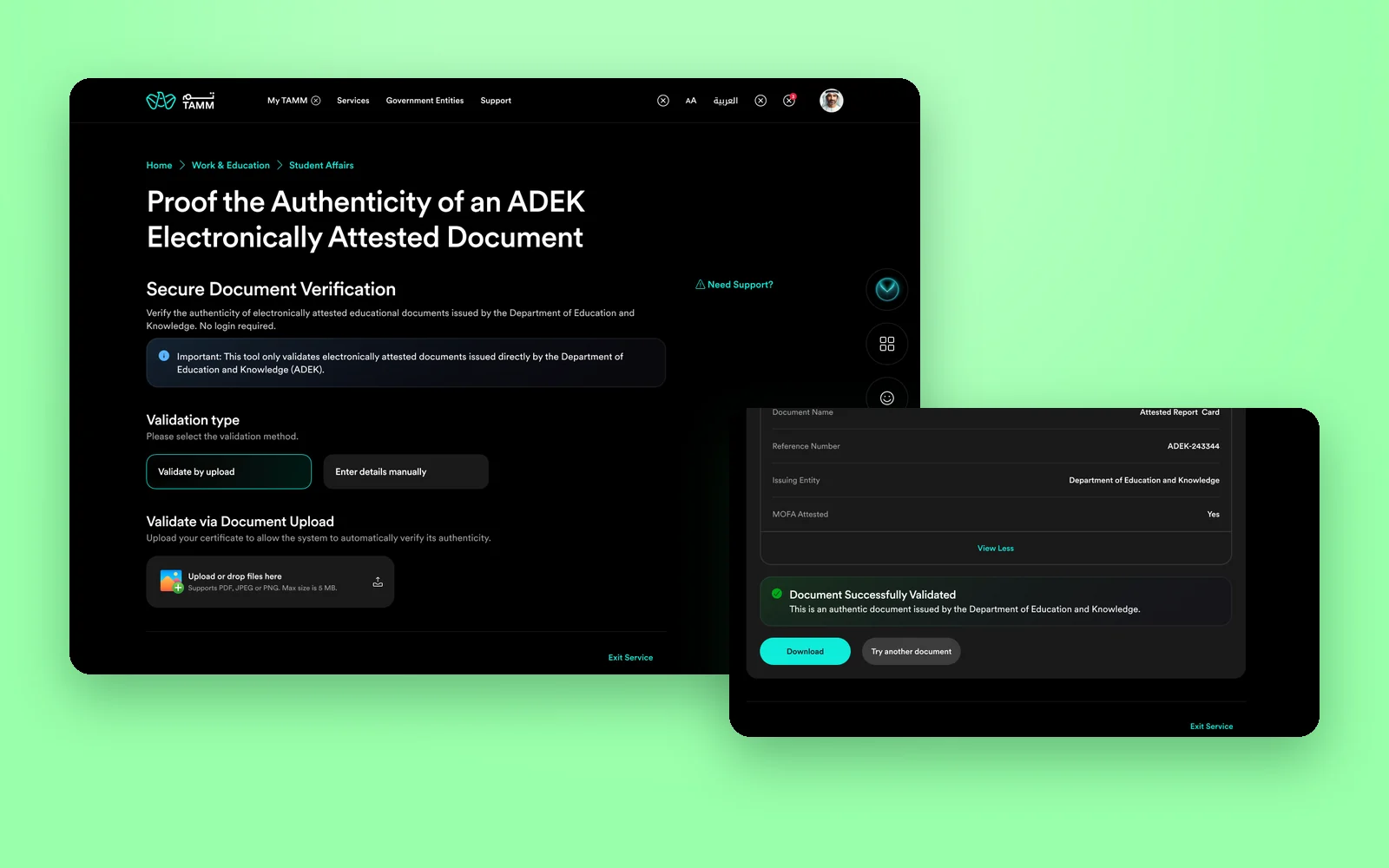
ADEK issues electronically attested documents: report cards, student certificates and school staff experience letters. The people who receive them, from universities to employers, need to know they are real. Service ADEK/0061 on TAMM lets anyone check, with no login required.
The service offers two ways in. Validate by upload lets an AI read the document and check it against ADEK's records. Enter details manually is for when the file is not at hand: the certificate reference number plus a student ID or a PASS ID. I designed both, and put as much care into the failures as into the success.
What I owned
- The service page and the choice of validation method: upload or manual entry.
- AI verification by upload, with its validated, invalid and system error results.
- Three file error states: unsupported type, size exceeded, and unreadable or corrupted file.
- Manual verification for student certificates (reference number and student ID) and school staff experience (reference number and PASS ID).
- Web and mobile versions on TAMM's design system, and the stage builds of both flows captured for review.
Trust is binary for the verifier, but never for the person who gets a no. Every failure needed a reason and a way forward.
Objectives → Design framing
How might an employer check an ADEK certificate in seconds, without creating an account?
How might someone verify with the file in hand, or with just the numbers printed on it?
How might a failed check tell the difference between a bad file, a document ADEK did not issue, and a system problem?
Key constraints & tradeoffs
The tool can only validate documents ADEK attested electronically. That limit had to be clear before anyone uploaded anything.
Verifiers are often outside the UAE government ecosystem, so the service had to work without UAE PASS or a TAMM account.
Student certificates are checked with a student ID; school staff experience letters with a PASS ID. The form had to change with the certificate type.
Automatic reading depends on file quality and on the system being up, so each kind of failure needed its own message.
How objectives translated to features
People will try to verify any certificate they hold. Saying what the tool cannot do saves them a failed attempt.
Design decisions- An Important note under the title: only electronically attested documents issued directly by ADEK can be validated.
- No login required, stated in the first line of the service.
- Validation type as two clear options before anything else appears.
- Exit Service always available, since there is nothing to save.
A warning before the first action adds reading. It is shorter than explaining a rejection afterwards.
Solution
Door 1
Upload, and let it check.
The fastest path: choose Validate by upload, drop the document, and the system reads it and checks it against ADEK's records.
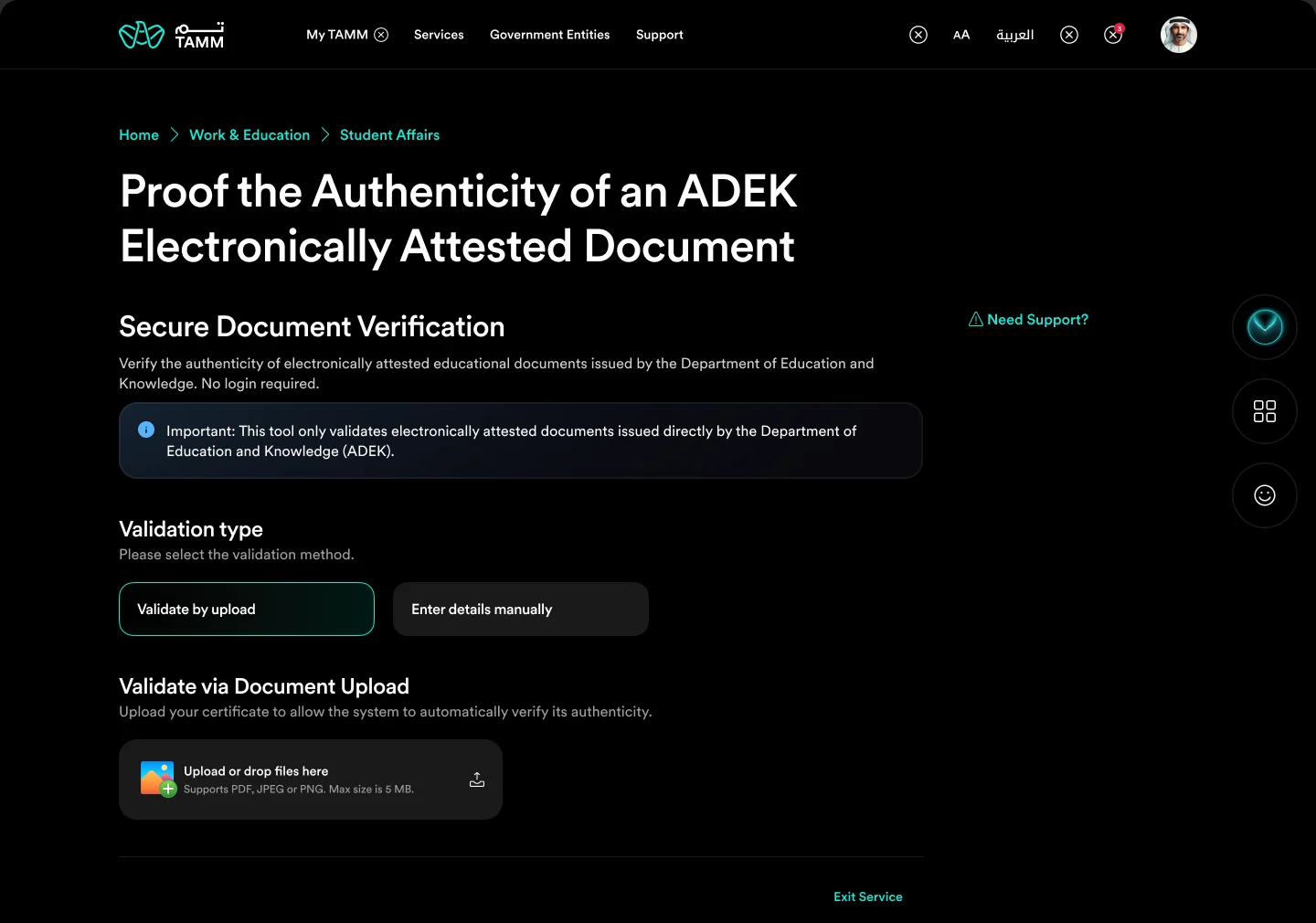
Choose how to verify
A clear scope note, then upload or manual entry.
The service opens by saying what it does and what it cannot do. The validation type comes first, and Validate by upload reveals a single drop area for the document.
- No login required
- Scope stated before any action
- Upload as the default method
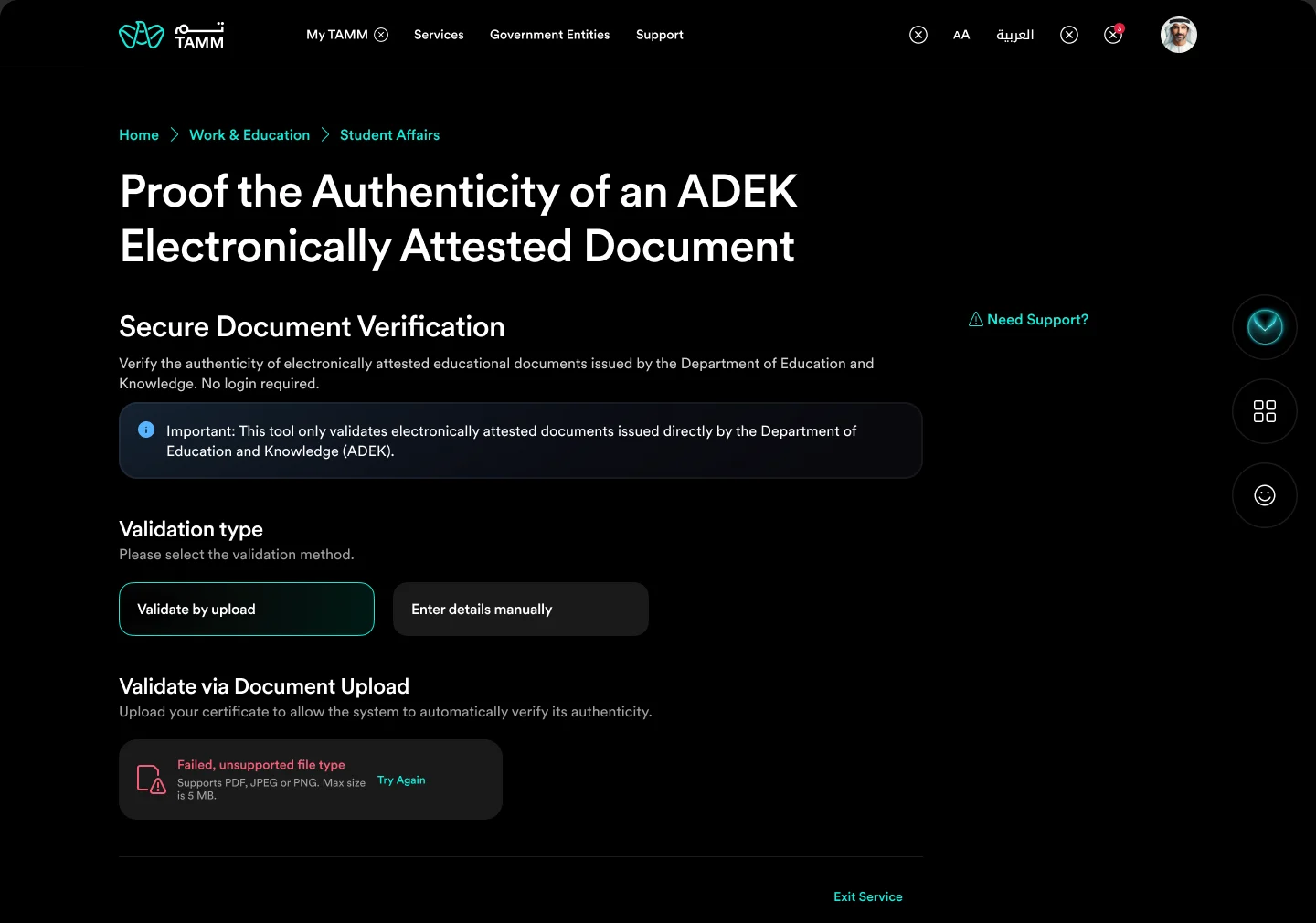
When the file is the problem
Unsupported type, size exceeded, unreadable file.
File problems are caught on the upload itself, with the reason in the file row and Try Again beside it, so the person fixes the file rather than wondering about the document.
- Error shown on the file itself
- Three distinct file errors
- Try Again in place
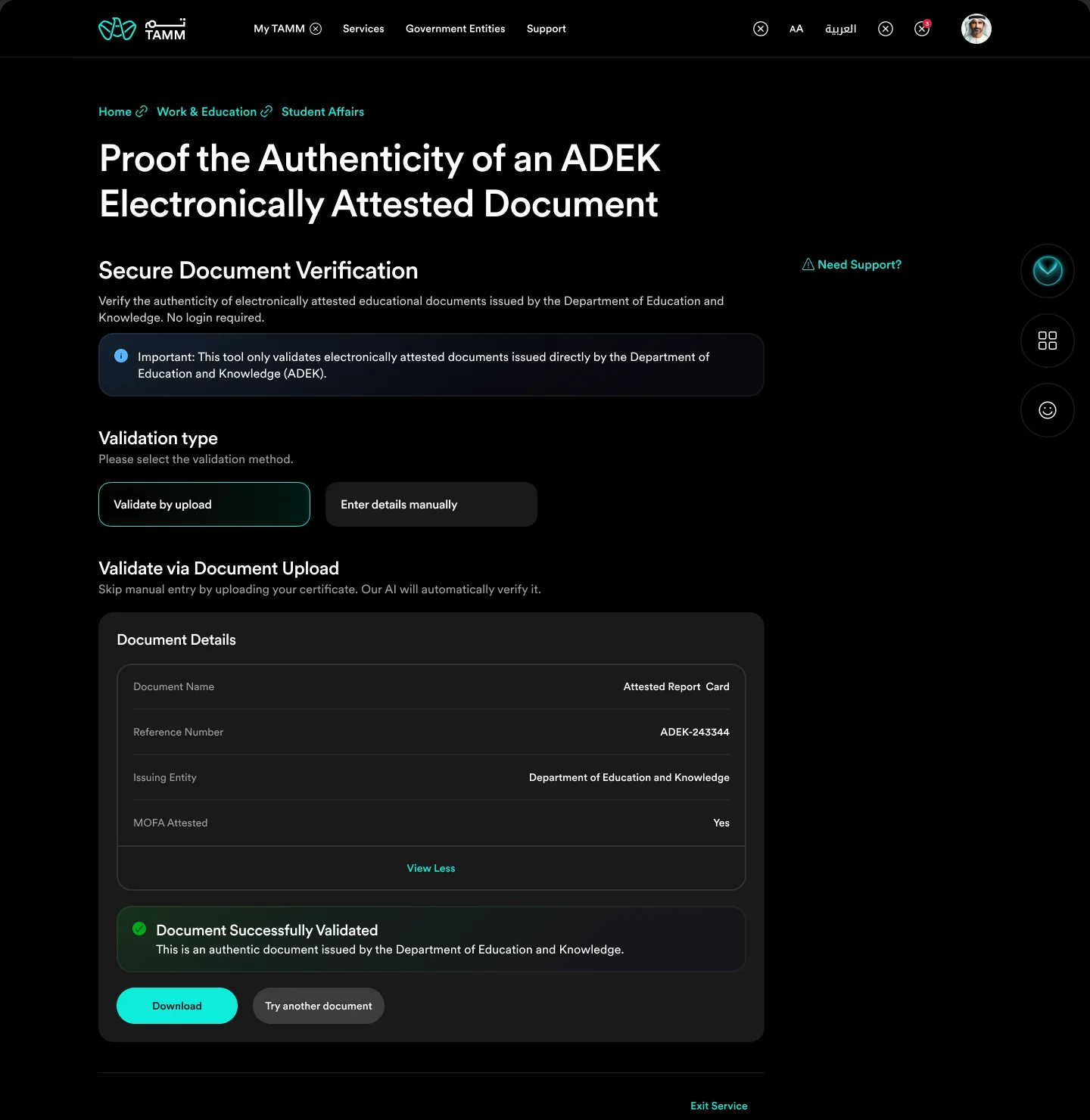
Document Successfully Validated
The details read from the document, confirmed by ADEK.
A valid document returns its name, reference number, issuing entity and MOFA attestation, with a clear confirmation that it is authentic, and actions to download or check another document.
- Details shown back for comparison
- MOFA attestation included
- Download or try another
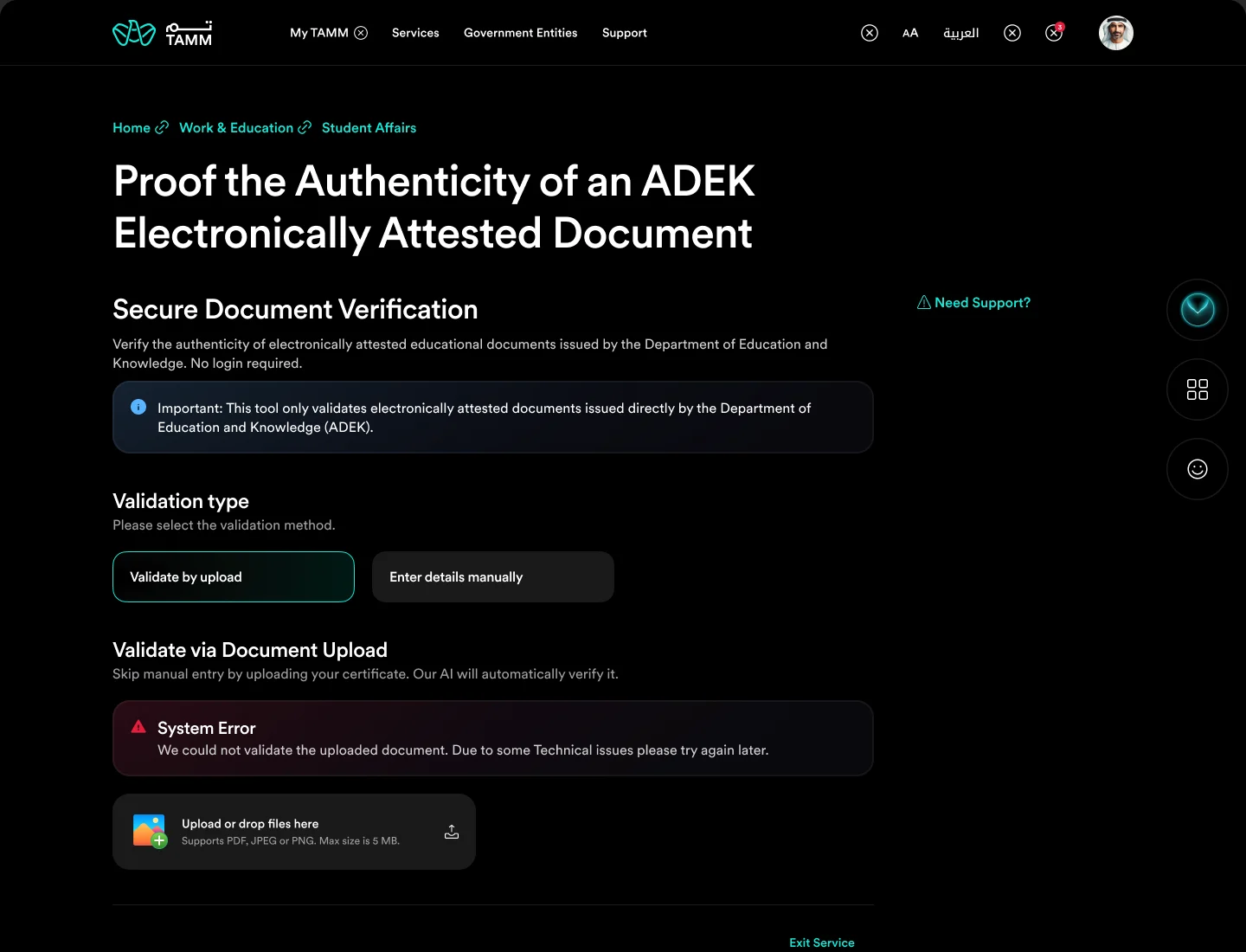
Not valid, or not available
An invalid document and a system error, told apart.
If the document does not match ADEK's records, the message asks for a clear, valid file issued by ADEK. If the system itself fails, the message says so and asks to try later, so a genuine document is never made to look fake.
- Invalid versus system error
- Upload again right below
- No blame on the person
Door 2
Or type what is on it.
When the file is not at hand, the certificate's reference number and one ID are enough. The form adapts to the type of certificate.
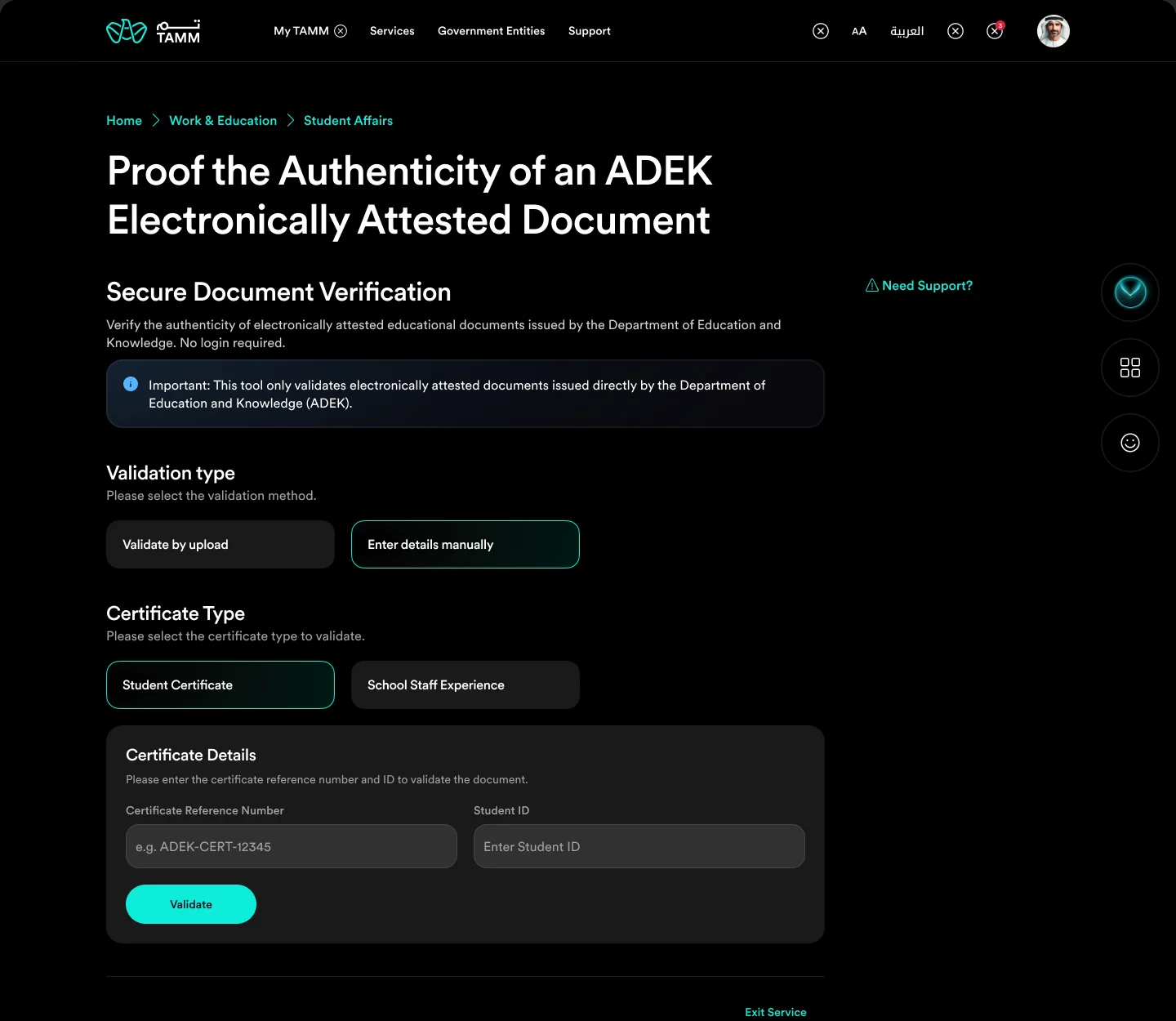
Student certificates
Reference number and student ID.
Choosing Enter details manually asks for the certificate type first. For a student certificate, the form needs the certificate reference number and the student ID, with an example format in the field.
- Certificate type first
- Example reference format
- Two fields, one action
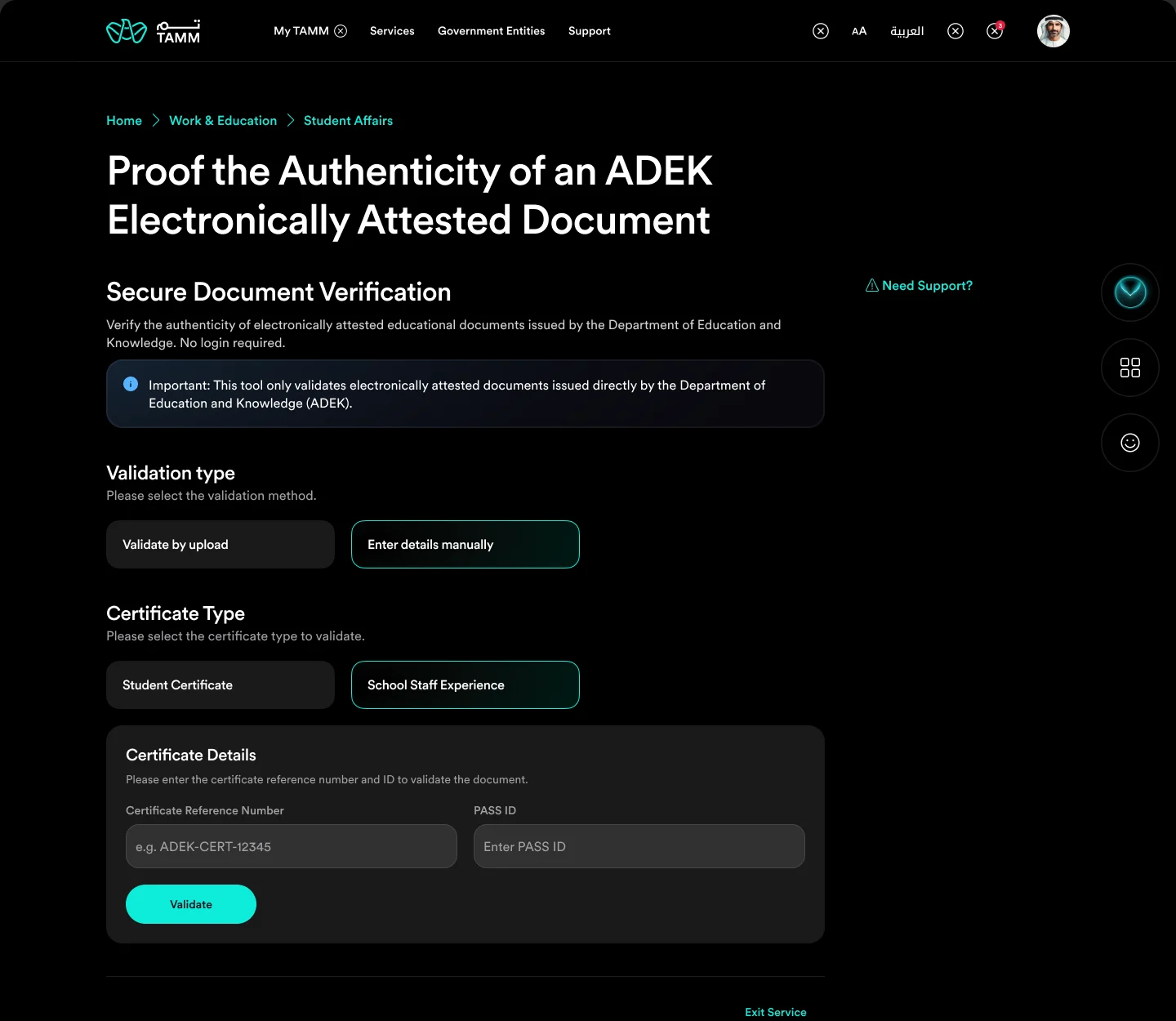
School staff experience
Reference number and PASS ID.
For a school staff experience letter, the second field becomes the PASS ID, the identity staff already hold in ADEK's systems. The rest of the form stays the same.
- Field changes with certificate type
- PASS ID for staff
- Same Validate action
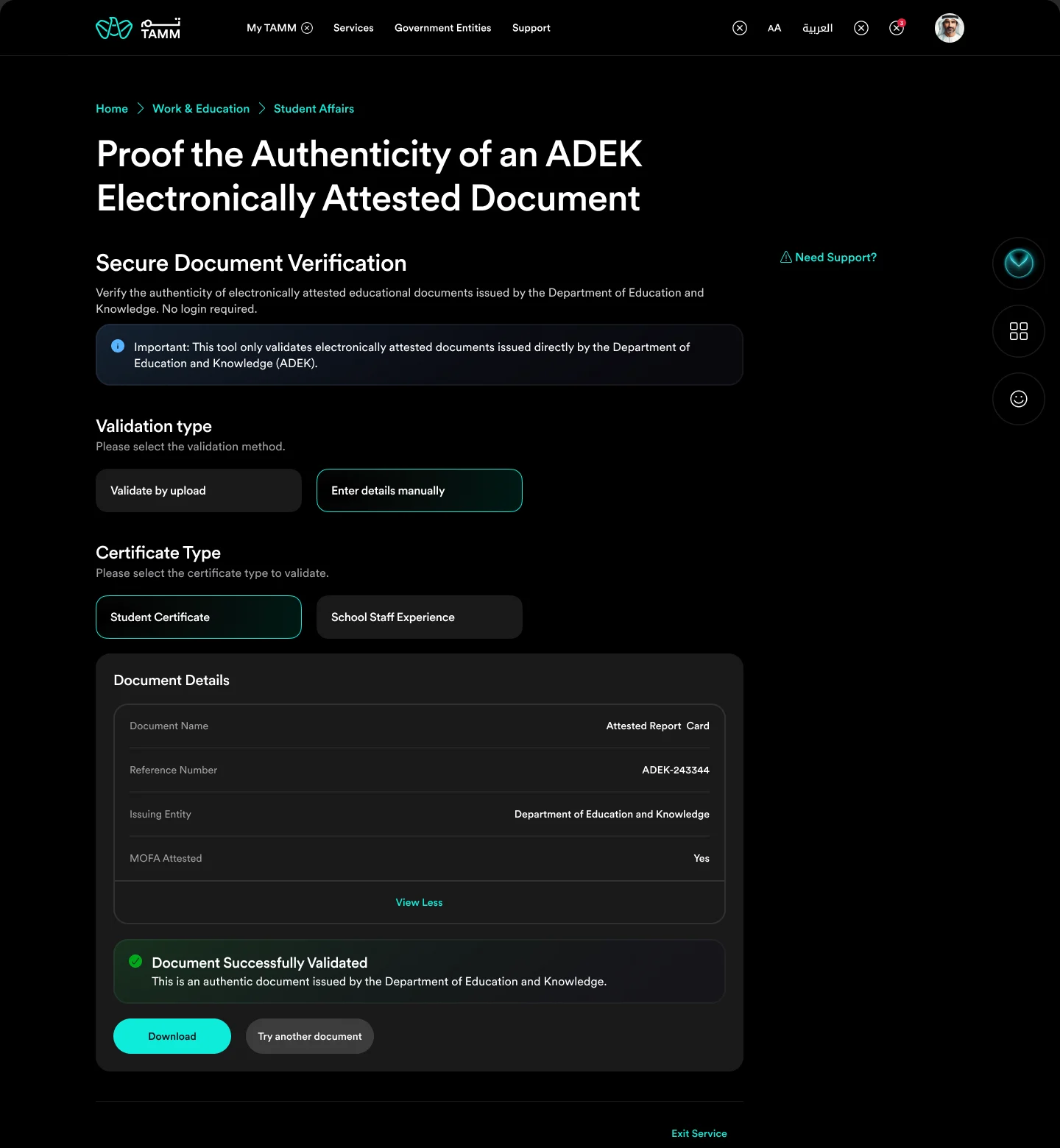
The same result, either way
A validated document from manual entry.
Manual verification ends on the same result as upload: the document details, the confirmation, and the same next actions, so the outcome does not depend on the door someone chose.
- Identical result layout
- Details for comparison
- Download or check another
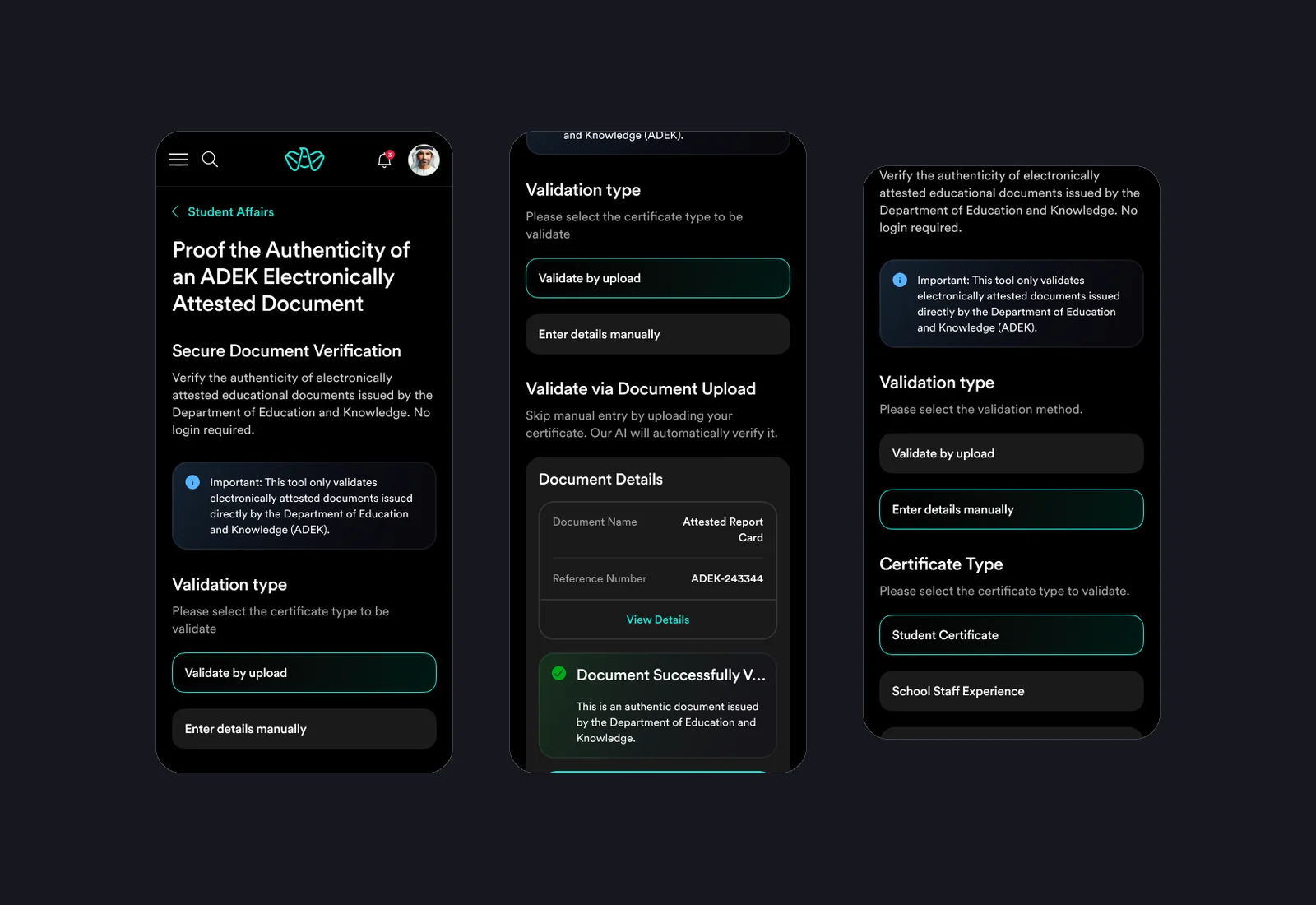
On a phone
Upload, result and manual entry at 375 pixels.
On mobile, the options stack as full-width choices, the result card keeps its details and confirmation together, and the manual form follows the same order as on web.
- Full-width choices
- Compact result card
- Same order as web
Outcomes
Reflection
This was the first service I designed where the user is often not the document's owner, but someone deciding whether to trust it. That changed the tone: calm, precise and neutral. The most important design work was in the failures, making sure a blurry scan or a server problem could never be mistaken for a fake.